

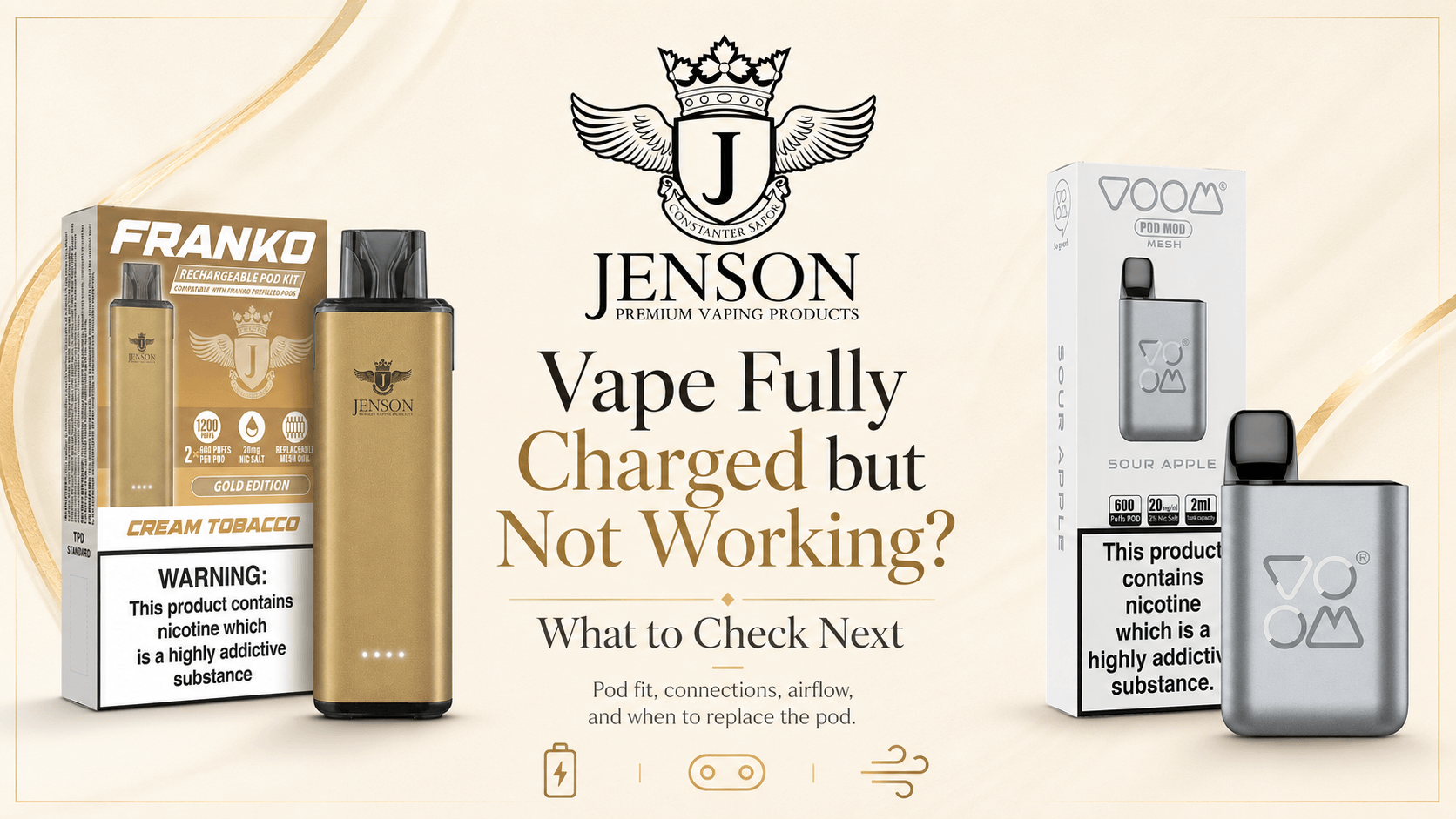
A vape can appear fully charged but still produce no vapour if the pod is not seated correctly, the electrical contacts are wet or dirty, the pod is empty or damaged, the airflow is blocked, or the coil has stopped working.
The battery indicator only shows that the device has received a charge. It does not confirm that the pod, coil, airflow channel and connection points are all working properly.
Start by removing and reinstalling the pod, checking for condensation or damage, and confirming that the pod is compatible with the exact device model. If the device still does not work, test it with a new compatible pod before assuming that the battery has failed.
For more general problems, including a device that will not charge or switch on, see our complete vape troubleshooting guide.
Why Is My Vape Fully Charged but Not Working?
A fully charged vape may stop working because the pod is loose, the contacts are wet or dirty, the airflow is blocked, or the pod or coil has reached the end of its life. Remove and refit the pod, clean accessible condensation, and test a new compatible pod. Stop using the device if it is damaged, leaking or unusually hot.
A device that lights up but produces no vapour usually has power, but something is preventing the coil from heating correctly or preventing air from moving through the pod. Jenson’s wider troubleshooting guide identifies pod seating, restricted airflow, coil failure and condensation around the contacts as common areas to check.
Quick Troubleshooting Table
| What you notice | Possible cause | What to check first |
|---|---|---|
| Device shows a full battery but produces no vapour | Pod not connected correctly | Remove and carefully reinsert the pod |
| Light activates during inhaling but nothing happens | Empty, damaged or failed pod | Test a new compatible pod |
| Device works only after moving the pod | Loose or wet connection | Clean and inspect the contact area |
| Draw feels unusually tight | Airflow may be blocked | Check the mouthpiece and airflow openings |
| Device flashes when the pod is inserted | Pod or coil may not be recognised | Confirm compatibility and reinstall it |
| Device works with another pod | Original pod is empty or faulty | Replace the original pod |
| No compatible pod works | Possible device or battery fault | Stop troubleshooting and contact the retailer |
| Device becomes hot or smells unusual | Possible battery or electrical fault | Stop using and charging it immediately |
1. Remove and Reinsert the Pod
A pod that is slightly loose or misaligned may prevent the device from recognising it, even when the battery is fully charged.
Remove the pod gently, then inspect how it fits into the device. Look for:
- A pod sitting at an angle
- A loose or uneven fit
- Protective covers or seals that have not been removed
- Dirt or moisture underneath the pod
- Bent, recessed or damaged connection points
- Visible cracks around the pod base
Insert the pod again without forcing it. It should sit securely and naturally in the device.
If moving or pressing the pod temporarily makes the vape work, the problem may be a poor connection, damaged pod or worn device contact. Do not keep forcing or holding the pod in place during use.
The correct pod installation method varies between devices, so check the packaging, supplied leaflet or Jenson’s vape manuals where available.
2. Check for Condensation or E-Liquid Around the Contacts
Small amounts of condensation can collect underneath a pod during normal use. If moisture reaches the contact area, it may interfere with the connection between the battery and coil.
To check it safely:
- Remove the pod.
- Place it on a clean tissue.
- Inspect the base of the pod and the accessible device connection area.
- Wipe visible moisture using a clean, dry tissue or cotton swab.
- Allow the area to dry before reinstalling the pod.
Do not pour cleaning fluid into the device. Do not insert metal objects, pins or tools into the connection area or charging port.
A small amount of moisture may be condensation. Repeated pools of E-Liquid, heavy leaking or liquid returning immediately after cleaning may indicate a damaged or poorly fitted pod.
For help identifying condensation, flooding and leaking, read Why Is My Vape Gurgling or Spitting E-Liquid?.
3. Check Whether the Pod Is Empty
A charged battery cannot produce vapour if the pod has run out of E-Liquid or the coil inside the pod has stopped working.
Signs that the pod may be empty or finished include:
- Weak or fading flavour before it stopped working
- Gradually reduced vapour
- A dry or burnt taste
- Inconsistent performance
- Little or no visible E-Liquid, where the pod design allows it to be seen
- Normal performance returning after a new pod is installed
The most practical test is to install a new compatible pod. If the device works normally with the replacement, the original pod was probably empty, damaged or at the end of its usable life.
For a more detailed explanation, read How Do You Know When a Prefilled Vape Pod Is Empty?.
4. Confirm That the Pod Is Compatible
Prefilled vape pods are not universal. Two pods can look similar while using different shapes, electrical contacts, airflow systems and internal coil designs.
Using the correct brand is not always enough. You must match the complete pod name with the complete device model.
For example:
- Elf Bar 600 pods are different from Elf Bar 4-in-1 pods.
- Lost Mary BM600 pods are different from Lost Mary BM6000 replacement pods.
- Franko, Voom and other Jenson-supported systems use their own compatible components.
An incompatible pod may:
- Fail to fit securely
- Sit too high or too low
- Fail to connect with the battery
- Cause the device to flash
- Produce no vapour
- Damage the pod or device if forced
Do not reshape, cut, open or force a pod into place. Jenson’s compatibility guide explains that pods from different systems may use different dimensions, contacts, coil designs and airflow arrangements.
Use the Prefilled Vape Pod Compatibility Guide to confirm the correct match before ordering or installing a replacement.
5. Check for Blocked Airflow
A vape needs air to move through the device and over the coil. If the airflow is blocked, an inhale-activated device may not detect the draw correctly, or the coil may activate without producing normal vapour.
Check for:
- A blocked mouthpiece
- Protective stickers or silicone covers still attached
- Condensation inside the mouthpiece
- Debris around accessible airflow openings
- A pod inserted incorrectly
- Clothing, fingers or packaging covering an air inlet
- A visibly damaged or deformed mouthpiece
Wipe accessible areas with a dry tissue. Do not push objects deeply into the mouthpiece or airflow channel.
Try a slow, steady inhale rather than pulling sharply. Inhaling harder is not always the solution. A forceful draw can pull excess E-Liquid towards the coil and contribute to flooding or gurgling.
If the draw remains completely blocked after cleaning, replace the pod rather than trying to dismantle it.
6. Check the Pod or Coil
The battery may be fully charged while the coil inside the pod has failed.
Depending on the device, the coil may be:
- Built permanently into the pod
- Installed separately inside a refillable pod
- Attached through a magnetic or push-fit connection
- Supplied as part of a prefilled replacement system
A worn or failed coil may cause:
- No vapour
- Weak vapour
- Burnt flavour
- Repeated flashing
- Gurgling or leaking
- Intermittent activation
- A device that works with one pod but not another
For a prefilled pod with a built-in coil, replace the complete pod.
For a refillable device with a separate replaceable coil, follow the manufacturer’s instructions and install the correct coil. Make sure it is fitted securely and remains within any stated resistance or power requirements.
Do not attempt to repair, rewind or open a sealed pod or integrated coil.
7. Check the Device’s Light or Display
The light pattern can help identify what is happening, but different devices use different signals.
A device may flash because of:
- A pod connection problem
- A short circuit or coil fault
- A low battery
- An incorrectly installed pod
- A protection feature activating
- A device fault
Do not assume that every flashing light means the battery is low.
Check the product instructions for the exact light pattern. Count the flashes where possible and note the colour shown. The same number of flashes can mean different things on different devices.
If the device displays a battery percentage, confirm that the level remains stable after unplugging it. A device that immediately drops from full to empty, charges unusually quickly or loses power after a few draws may have a deteriorating battery. Jenson’s existing troubleshooting guide notes that rapid charging, rapid draining and sudden power loss can indicate battery degradation.
8. Restart the Device Where Applicable
Some devices have a manual power button or locking function.
Check whether the device:
- Requires several quick button presses to switch on
- Has been accidentally locked
- Uses a child-lock feature
- Has an adjustable power or operating mode
- Requires the pod to be installed before activation
Follow the instructions for the exact model. Do not repeatedly press random button combinations, as this may change the mode or power setting.
Many simple prefilled pod devices are inhale-activated and may not have a manual restart function. For these systems, removing and reinstalling the pod is usually the closest equivalent to resetting the connection.
9. Try a New Compatible Pod
Testing a second pod is one of the clearest ways to separate a pod problem from a device problem.
Use a new pod that:
- Is made for the exact device model
- Is sealed and undamaged
- Has had all required protective covers removed
- Is installed according to the packaging
- Has been allowed to settle if the instructions require it
After installing it:
- Check that it sits securely
- Make sure there is no leaking
- Allow a refillable pod or new coil time to saturate as instructed
- Take a slow, gentle draw
- Watch for normal or warning lights
If the new pod works
The original pod was probably empty, damaged, flooded or no longer connecting correctly.
If the new pod also fails
The problem may involve:
- The device contacts
- The airflow sensor
- The internal battery
- The charging system
- Internal wiring or electronics
At that stage, further home troubleshooting is unlikely to be useful.
10. Make Sure the Device Actually Holds Its Charge
A charge indicator may show that the charging cycle has completed, but the battery may still fail to deliver reliable power during use.
Possible signs of battery deterioration include:
- Battery dropping quickly after charging
- Device working for only one or two draws
- Battery showing full and then switching off
- Device charging much faster than normal
- Device taking unusually long to charge
- Light or display behaving unpredictably
- Device switching off under normal use
Test the device only according to its instructions. Do not repeatedly reconnect it to unsuitable chargers in an attempt to force it to charge.
UK government battery-safety guidance says to use the supplied or recommended charger, monitor the device during charging, unplug it when fully charged and stop using batteries that are damaged, leaking or not functioning properly.
What Not to Do
Avoid troubleshooting methods that could damage the pod, battery or device.
Do not:
- Force an incompatible pod into place
- Open a sealed prefilled pod
- Cut or reshape the pod
- Insert metal objects into the contacts or charging port
- Pour alcohol, water or cleaning solution into the device
- Use a damaged charging cable
- Continue charging a device that becomes unusually hot
- Leave the device charging unattended or overnight
- Attempt to open or repair an integrated lithium battery
- Continue using a pod that is cracked or repeatedly leaking
Use only charging equipment recommended for the device. Official UK guidance also advises charging on a clean, flat surface away from flammable materials and not leaving the vape continuously connected after charging is complete.
When Should You Stop Using the Vape?
Stop using and charging the device immediately if you notice:
- Unusual or excessive heat
- Swelling or deformation
- A cracked battery casing
- Liquid inside the charging port
- Smoke, sparks or a burning smell
- Hissing or unusual noises from the battery
- The device activating by itself
- Repeated leaking with several compatible pods
- Damage after being dropped
- A battery that no longer charges normally
A damaged lithium-ion battery can present a fire risk. UK fire-safety guidance lists extreme heat, swelling, leaking, unusual smells, smoke and abnormal charging behaviour among the warning signs that a battery should no longer be used.
Do not place a damaged device back on charge to see if the problem disappears.
When Should You Contact the Retailer?
Contact the retailer or manufacturer when:
- The device is new and has never worked correctly
- Several compatible pods fail in the same device
- The device shows repeated warning lights
- The pod fits correctly but is not recognised
- The device will not hold a charge
- The connection points appear damaged
- The device overheats or behaves abnormally
- You cannot identify the correct replacement pod
- The product may still be covered by its warranty or returns policy
Before contacting support, prepare:
- The complete device name
- The pod or coil name
- Your order number
- The date of purchase
- The light colour or number of flashes
- A clear photograph of the device and pod
- A brief list of the checks already completed
Jenson customers can use the Jenson contact form, or call 0208 619 1066 for product and order questions.
Fully Charged Vape Troubleshooting Checklist
Use this checklist in order:
- Disconnect the charger.
- Check the device for heat, swelling, leaking or damage.
- Remove the pod.
- Wipe accessible condensation with a dry tissue.
- Confirm the pod is compatible with the exact device.
- Check that all protective seals have been removed.
- Inspect the mouthpiece and airflow openings.
- Reinsert the pod carefully.
- Try a slow, steady inhale.
- Test a new compatible pod.
- Check the product instructions for warning lights.
- Contact the retailer if more than one compatible pod fails.
This order helps rule out the simplest and most common causes before treating the whole device as faulty.
What to Check Next
A vape that appears fully charged but produces no vapour does not automatically need replacing.
Start with the pod. Remove it, clean accessible condensation, confirm that it is compatible and reinstall it carefully. Check the airflow and test a new pod. If the replacement works, the original pod was probably empty or faulty.
If several compatible pods fail, or the device becomes hot, damaged or unreliable, stop using it and contact the retailer rather than attempting to repair the battery yourself.
For more help, read:
- Vape Not Working? Complete Troubleshooting Guide for Vapers
- How Do You Know When a Prefilled Vape Pod Is Empty?
- Prefilled Vape Pod Compatibility Guide
- Why Is My Vape Gurgling or Spitting E-Liquid?
- Beginner Mistakes When Using Rechargeable Pod Vapes
- Jenson Vape Manuals
Product designs and troubleshooting steps vary. Always follow the instructions supplied with the exact device.
Frequently Asked Questions
The pod may not be seated correctly, the contacts may be wet or dirty, the airflow may be blocked, or the pod or coil may be finished. Remove and reinstall the pod, clean accessible condensation and test a new compatible pod.
A light shows that the device is activating, but the pod or coil may not be heating correctly. Check the pod fit, airflow, connection area and remaining E-Liquid.
Yes. A pod may contain visible E-Liquid while the coil, wick or electrical connection has stopped working properly. Replace the pod if it remains unresponsive or tastes burnt.
Test the device with a new compatible pod. If the new pod works, the old pod was probably faulty or finished. If several compatible pods fail, the problem is more likely to involve the device or battery.
Yes. Moisture underneath the pod may interfere with the electrical contacts. Remove the pod and wipe accessible moisture with a clean, dry tissue before reinstalling it.
The pod may be loose, damaged or failing to make proper contact. Stop pressing or forcing it during use. Check compatibility, clean the connection area and replace the pod if needed.
Yes. An inhale-activated device relies on airflow to detect the draw. Check that the mouthpiece, airflow openings and pod are clear and correctly installed.
You may gently remove visible surface dust only when the device is disconnected and completely dry. Do not use liquid, metal tools or sharp objects. Contact the retailer if the port appears damaged or contains E-Liquid.
No. Repeated charging will not repair a pod, coil or connection problem. Disconnect it, follow the troubleshooting checks and stop using it if the battery behaves abnormally.
Consider replacing the device if several compatible pods fail, the battery no longer holds a charge, the contacts are damaged, or the device overheats, leaks internally or activates unpredictably.